The dispatch desk of a car-hauling fleet, as software.
We run car haulers out of Florida: company drivers, owner-operators and trucks we manage for other owners. This is the desk we built to run them — loads, driver weeks, fuel by fill-up, every kind of settlement, a load board where brokers post to us, and Traccar GPS. Since 2026 other fleets run on it too.
14 days free, no card. Import last week and compare the statements with your spreadsheet.
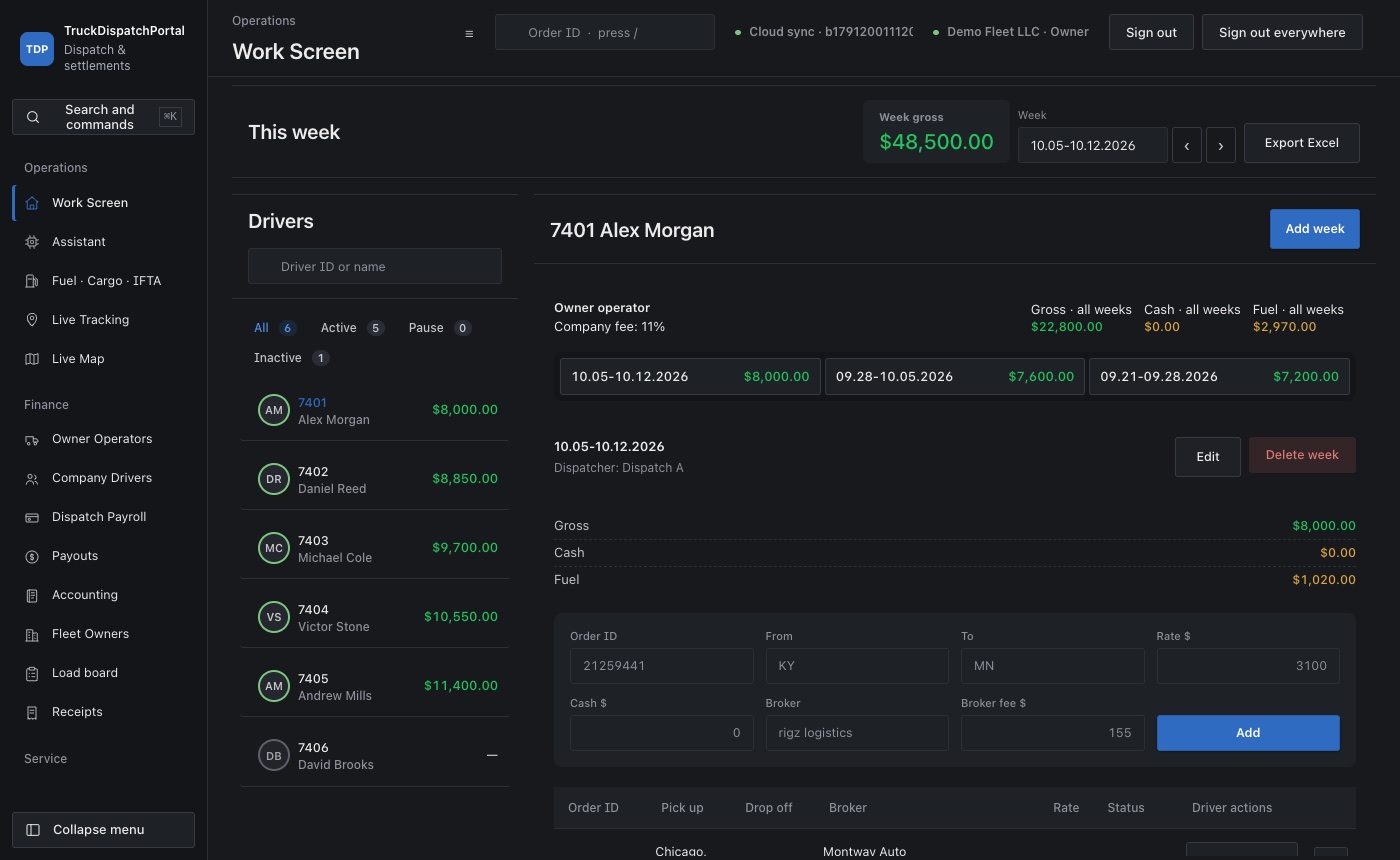
What a week looks like here
Weeks run Monday to Monday. Everything below is one screen in the portal; the screenshots are the demo company you can open yourself.
-
Loads come in
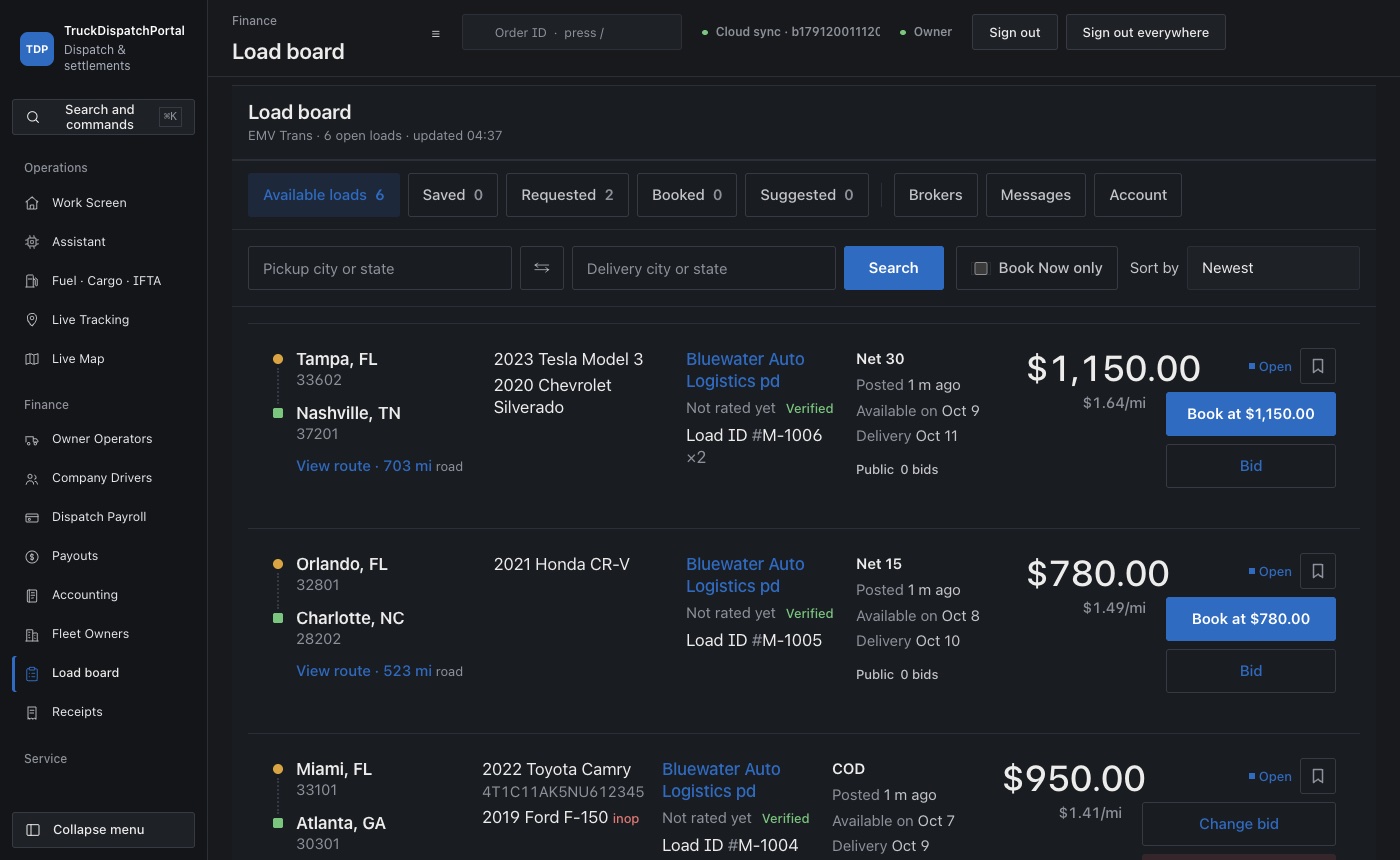
Brokers post on the load board — public, or private to the carriers they trust — and the office bids or books at the posted price. A load that came by phone is typed in: order number, from, to, rate, broker. Ten seconds.
A booked load lands in the driver's week with the agreed price. Nothing is retyped.
-
Drivers run them
On the phone a driver taps Picked up and Delivered; the BOL and the receipt go on the load as photos. The office sees status, position from Traccar and the paperwork without a call. The dispatcher sees his drivers and nothing about your margin.
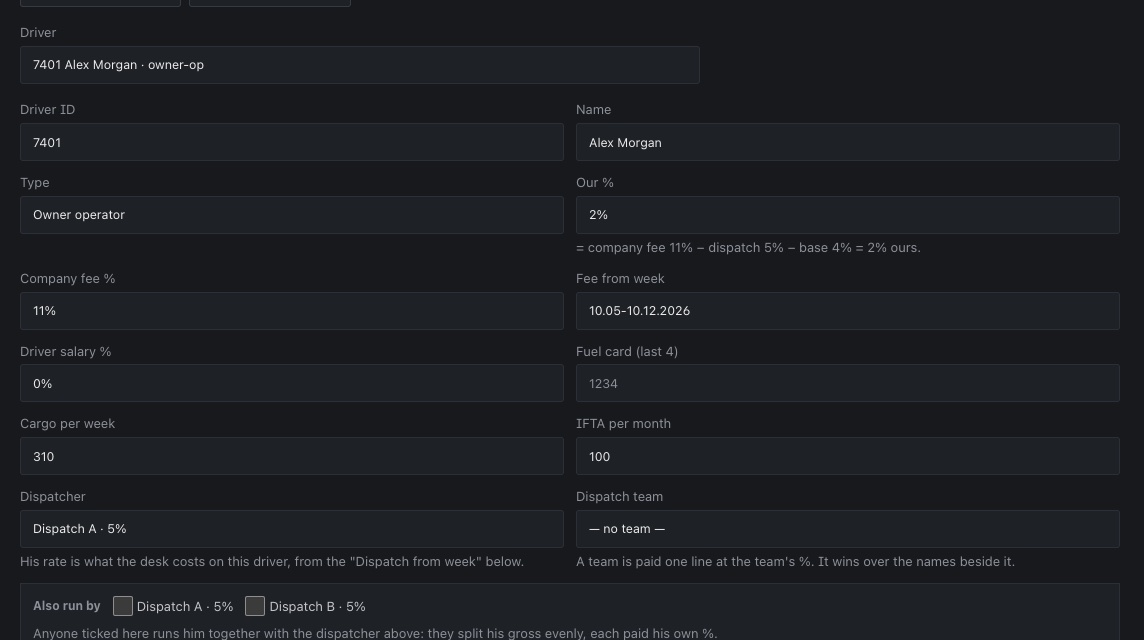
Every rate on a driver has a “from week”. A change on Tuesday does not rewrite last Monday's statement. -
Fuel lands by itself
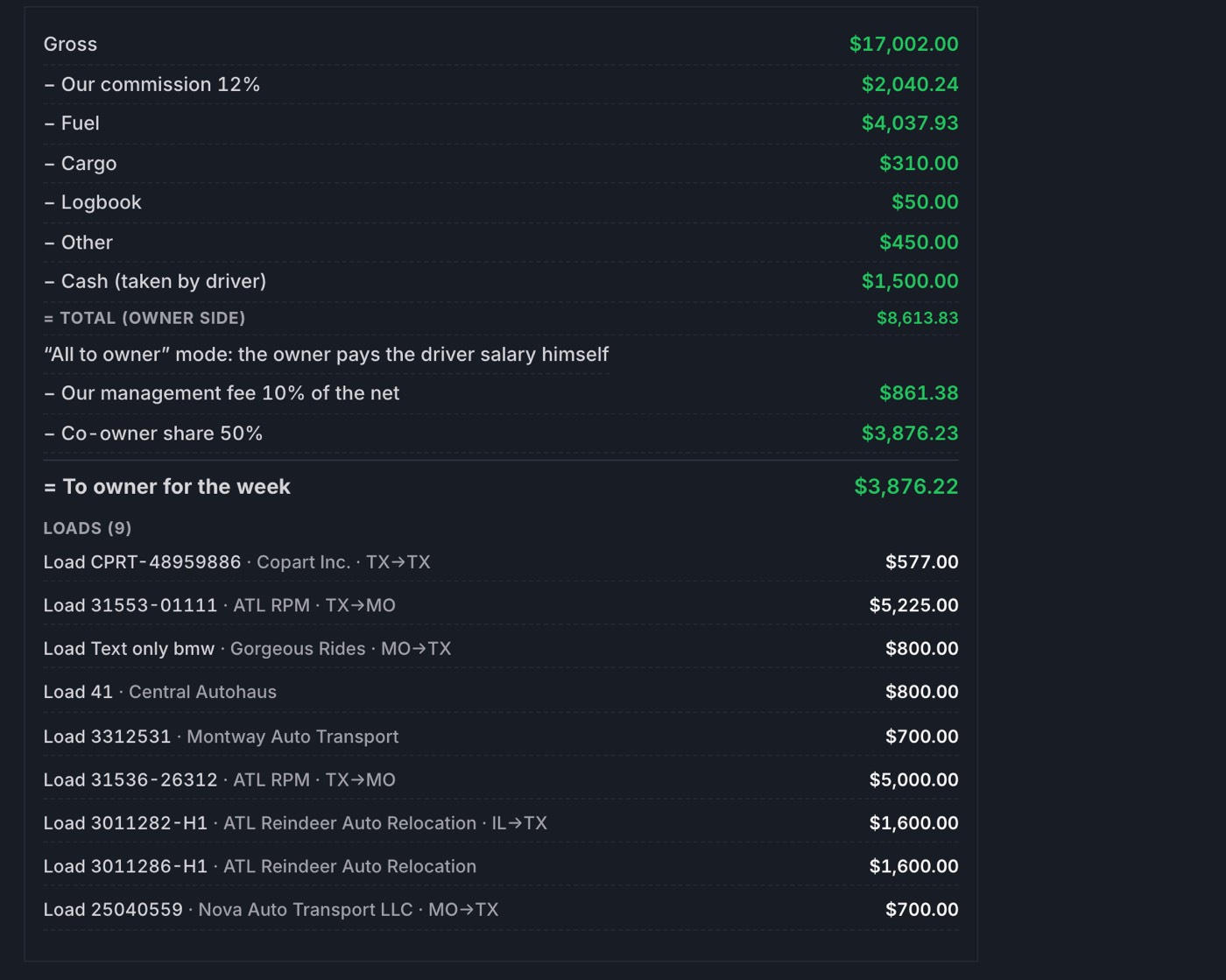
Import the fuel-card statement; every fill-up goes to a driver and a week by the card's last four digits. The driver's week says $4,037.93 and shows the fill-ups behind it, not “roughly four thousand”.
Cargo insurance, logbook, IFTA and cash the driver took are lines on the same week.
-
Monday night: statements
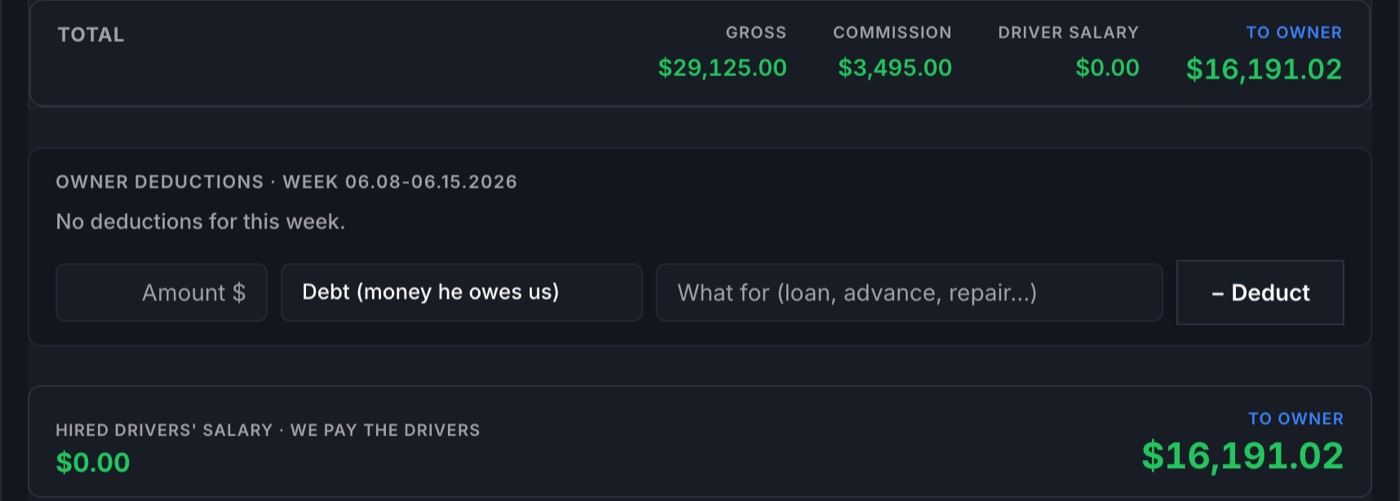
A company driver, an owner-operator, a fleet owner's truck, a truck two owners share — each deal prints its own PDF: gross, commission, fuel, cargo, cash, management fee, co-owner share, and the loads behind the number.
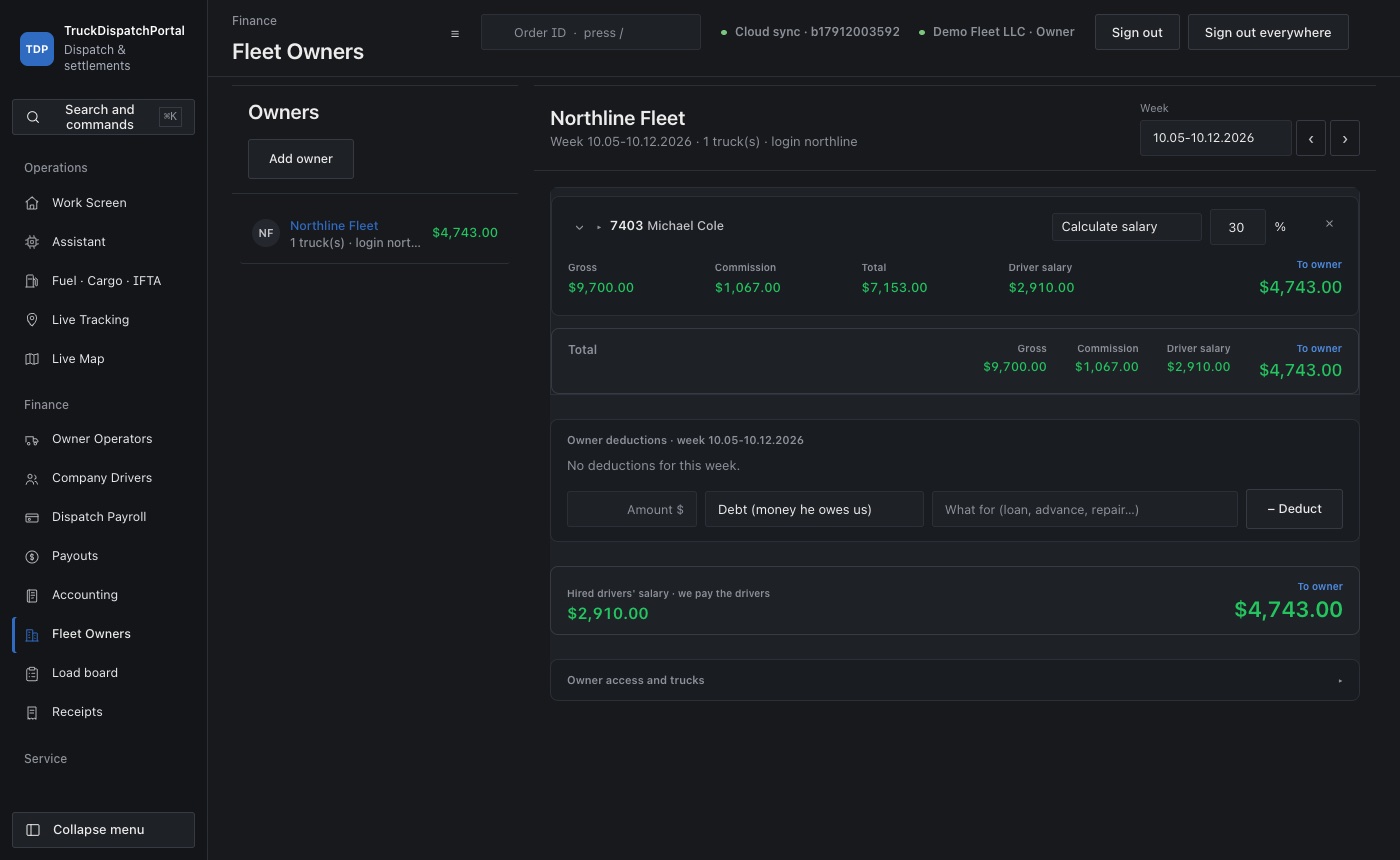
The fleet owner signs in and sees only his trucks, this week and the ones before.
-
You approve the payouts
Nothing is charged on its own. Every imported deduction waits with the payer pre-picked until you charge it; a payout is approved by you and only then leaves the week. Period close, checks, P&L and the year-end live on the Accounting screen.
Who sees what
Each person signs in to his own account. The lines that are your margin are on screens only you open.
| Screen or line | Dispatcher | Driver | Fleet owner | Owner |
|---|---|---|---|---|
| Loads, statuses, pickup and delivery | his drivers | his own | — | all |
| Truck positions (Traccar) | his drivers | his own | his trucks | all |
| Driver's week, deductions, pay | — | his own | his trucks | all |
| Dispatch percent and the weeks it was earned | his own | — | — | all |
| Fleet owner's statement and deductions | — | — | his own | all |
| Our commission, company fee, co-owner share | — | — | — | yes |
| Accounting: period close, payouts, checks, year-end | — | — | — | yes |
For brokers
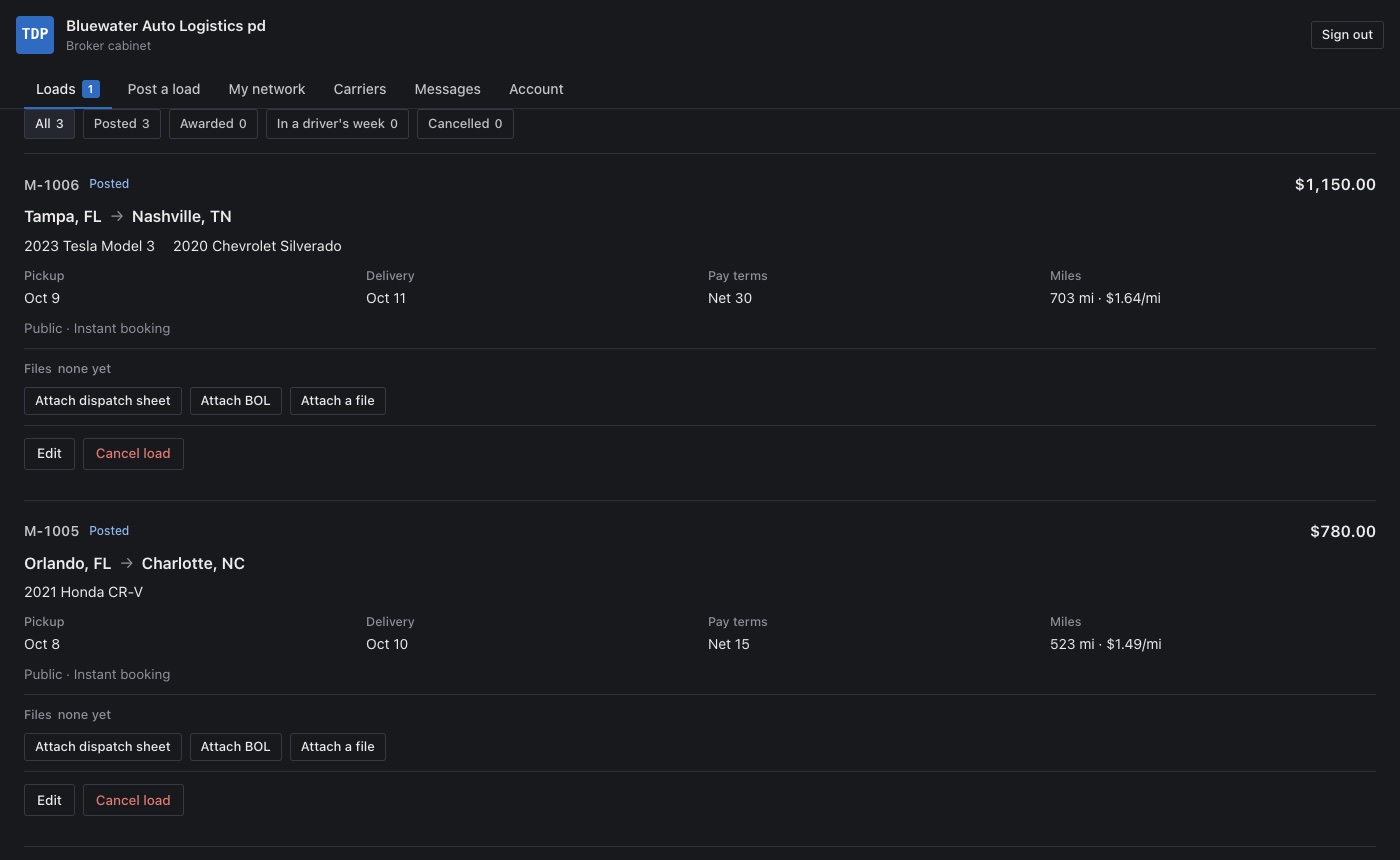
A broker gets a free cabinet. He posts a load, keeps a network of carriers he trusts, and either takes bids or lets the first carrier book at his price. He can counter a bid, write to the carrier on the load, attach the dispatch sheet, and send his customer a tracking link.
When the car is delivered he gets the BOL photos and the receipt back on that load — no phone call, no email chase.
Carriers and brokers are checked before they can bid or post: MC, USDOT, W-9, and an insurance certificate that comes straight from the agent.
Price
Per truck, per month. Every plan has every screen — loads, weeks, settlements, fuel, accounting, the load board, the driver phone app and Traccar GPS. The price only changes with the size of the fleet.
| 1 to 5 trucks | $29 per truck a month | email support |
| 6 to 20 trucks | $24 per truck a month | Telegram bots for drivers and dispatch, priority support |
| 21 trucks and more | $19 per truck a month | API access, we import your data for you |
The first 14 days are free and need no card. If you stop paying, the account pauses and your data waits; you can export every week to Excel at any time.
Who made this
I own a car-hauling fleet in Florida — twenty-odd trucks, some ours, some owner-operators, some belonging to other owners who hand them to us to run. For years the week ended in spreadsheets: the fuel statement in one, settlements in another, a fleet owner calling on Tuesday to ask where his number came from.
We wrote this portal for our own desk because nothing we tried printed a fleet owner's statement the way our deals actually work, or kept the margin lines away from the dispatchers. It has run our office every week since. In 2026 we opened it to other fleets.
If you run a desk like ours, open the demo company and click through a week. Support answers in English and Russian.
Imanowner, EMV Trans · Florida
Questions owners ask first
- Can my dispatchers see what I make on a load?
- No. A dispatcher sees his drivers, their loads, statuses and positions, and his own dispatch percent. Commission, company fee, management fee and co-owner share are on owner-only screens, and the fleet owner's statement prints them without naming anyone.
- What is Traccar and what does it cost me?
- Traccar is an open-source GPS server. The portal runs it for you inside the plan; there is no per-truck GPS subscription. Drivers report from the Traccar Client app on the phone or from a tracker in the truck. More on the Traccar setup.
- We run everything in spreadsheets. How do we move?
- Start with one week. Add the drivers and their deals in Settings, import the fuel statement, enter the week's loads, print the statement and compare it with your spreadsheet line by line. The corrections workbook you get from the factoring company imports as it is.
- What happens when the 14 days end?
- You pick a plan. If you do nothing, the account pauses and the data waits for you. Nothing is deleted.
- Is there Russian-speaking support?
- Yes. Most of the fleets we work with run the desk in both languages. The Russian home page is at /ru/.
Try it on your own trucks
14 days free, no card. Import last week and compare the statements.